SequorrWatch is the Apple Watch companion to Sequorr — and with 3.1.6, the two apps stop feeling like two apps. Pair your Apple Watch, download Sequorr from the App Store, and the watch app appears on your wrist already knowing who you are, what you train for, and how you want your data presented. No second login. No second setup. One athlete, two surfaces.
Here's what's new.
SequorrWatch 3.1.6
Zero-Config Pairing
When you download Sequorr from the iOS App Store, SequorrWatch installs automatically on any Apple Watch paired to your iPhone. There's no separate download, no separate sign-in, and no companion-app setup wizard. The first time you raise your wrist, the app is already there — and already yours.
This is the way it should have always worked. A companion app shouldn't be a second product you have to configure. It should be the same product, expressed on a smaller screen.
Pre-Synced Profile History & Preferences
Your training profile, your activity types, your unit preferences, your LTHR, your recent activity history — all of it is on the watch the moment you open it for the first time. If you train under the Trail Running profile on iOS, the watch starts you in Trail mode. If your last three sessions were morning runs in the 70–75 minute range, the watch knows that too.
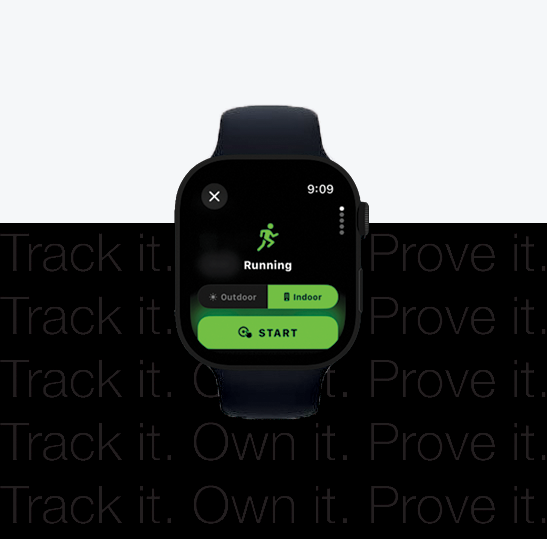
What this changes in practice: starting a workout from your wrist takes one tap. The activity type is already pre-selected to match your profile. The metrics displayed during the session are the ones your profile cares about — vertical gain and grade for trail, pace and cadence for road, split times for swim. You're not configuring the watch every time you step out the door. You're starting.
Quick-Select Environment Mode
Every endurance athlete trains in more than one environment. You might run trail on Saturday and road on Tuesday. You might swim in a pool through the week and open-water on weekends. SequorrWatch 3.1.6 introduces a quick-select environment picker on the start screen — a single rotation of the Digital Crown switches the active environment without leaving the activity flow.
The environment isn't just a label. It changes what the watch tracks, how it filters GPS, and which metrics surface on the active workout screen. Trail mode prioritizes elevation accuracy and vertical pace. Road mode tightens GPS smoothing for cleaner splits. Open-water swim flips on the SWOLF and stroke-count surfaces. Pool swim assumes a fixed lane length and counts laps off accelerometer turns.
You stay in your activity. The watch adapts.
Native iOS Widgets — Lock Screen, Dynamic Island, Compact Bubble
An active SequorrWatch workout now mirrors to your iPhone through Apple's native widget surfaces. When you start a session on your wrist, three things happen on your phone automatically:
A Lock Screen Live Activity appears with elapsed time, distance, current heart rate, and pace. You can glance at your phone without unlocking it and see exactly where you are in the workout.
The Dynamic Island on iPhone 14 Pro and newer shows a compact pill while the phone is in use, and expands on long-press to a full readout — heart rate zone, average pace, current split, and a stop control if you need to end the session from the phone.
A compact bubble widget floats on supported home-screen contexts, mirroring the live session as a single tappable surface that opens straight into Sequorr's active-workout view.
None of this requires configuration. You start the workout on your watch — the surfaces appear. You end the workout — they disappear. The session is one session, presented in whichever surface you happen to be looking at.
One Session, Two Surfaces
Worth saying plainly: Sequorr does not treat a watch workout and a phone workout as two different things. When you start a session on SequorrWatch, the iPhone becomes a passive mirror — it shows the session, it doesn't duplicate it. When the session ends, a single activity record is written to your history, with the watch as the authoritative data source for heart rate, GPS, and motion. No duplicate workouts. No reconciliation. No "which one do I keep."
This is built on Apple's HKWorkoutSession mirroring (iOS 17+ / watchOS 10+), which we've been hardening through the 3.0.x and 3.1.x series. 3.1.6 is the release where the experience around it gets the polish it deserves.
What This Release Is Really About
Most companion apps feel like an afterthought because they were built like one — a separate codebase, a separate model of the user, a separate setup flow that asks you the same questions you already answered on your phone. SequorrWatch 3.1.6 is the version where we stopped treating the watch as a second app and started treating it as a second surface for the same app.
You shouldn't have to think about which device a workout was tracked on. You shouldn't have to log in twice. You shouldn't have to configure the same preferences in two places. You should just train — and the data should show up wherever you're looking.
That's the version we need.