Pace tells you what you did. Power tells you what you put out. Heart rate tells you what it cost — and cost is the thing training is actually made of. A tempo run at 7:30 pace means one thing on a cool morning with fresh legs and something completely different in August heat on the back of a hard week. Your watch shows the same pace both times. Your heart doesn’t lie about the difference.
That gap — between what you did and what it took — is why a heart rate monitor is one of the highest-leverage pieces of gear an endurance athlete can own. Here’s what it gets you, and how to get it into Sequorr.
What a heart rate monitor actually gives you
1. It measures effort, not just output
Pace flatters you downhill and punishes you into a headwind. Power is honest on the bike but blind to heat, dehydration, altitude, and accumulated fatigue. Heart rate is the one signal that reflects the physiological price of the work — the same climb costs more when you’re tired, and your heart rate says so in real time. That’s exactly the information you need to hold an easy day easy and to know when a “moderate” effort has quietly become a hard one.
2. It’s the cleanest input Sequorr runs on
Heart rate isn’t just a number on the screen — inside Sequorr it’s the anchor for the whole analytics engine. Your training zones are pinned to your lactate threshold heart rate. Every heart-rate session is scored into a heart-rate-based Training Stress Score, the gold-standard method, which then feeds your fitness (CTL), fatigue (ATL), and form (TSB). The more accurate your heart rate data, the more honest your readiness picture. A clean HR stream in means a trustworthy training load out.
3. It’s accurate when it matters most
This is where a dedicated monitor pulls away from a wrist. Optical wrist sensors read light through the skin, and they struggle exactly when you need them most — during hard intervals, in the cold, and through the sharp changes in effort that define a real workout. A chest strap or armband reads the electrical signal of the heartbeat itself, so it stays locked on through surges, sprints, and everything between. For steady zone-2 work the wrist is often fine; for intervals and threshold sessions, the strap is the one you trust.
4. It shows you recovery, not just workouts
The best training decisions happen between sessions. A resting heart rate that’s drifting up, or an effort that spikes your HR higher than the pace should warrant, is your body telling you it hasn’t absorbed the last block yet. Reading those signals — instead of just grinding through the plan — is the difference between building fitness and digging a hole.
How to connect a heart rate monitor to Sequorr
Sequorr speaks Bluetooth Low Energy (BLE) — the protocol nearly every modern chest strap and armband uses. If you own a COROS HR monitor, a Polar H10, a Garmin HRM, or any standard BLE heart rate sensor, it pairs directly. No third-party app, no export, no manual entry.
In the Sequorr app
- Wake your HR monitor (put on the chest strap or armband so it starts broadcasting).
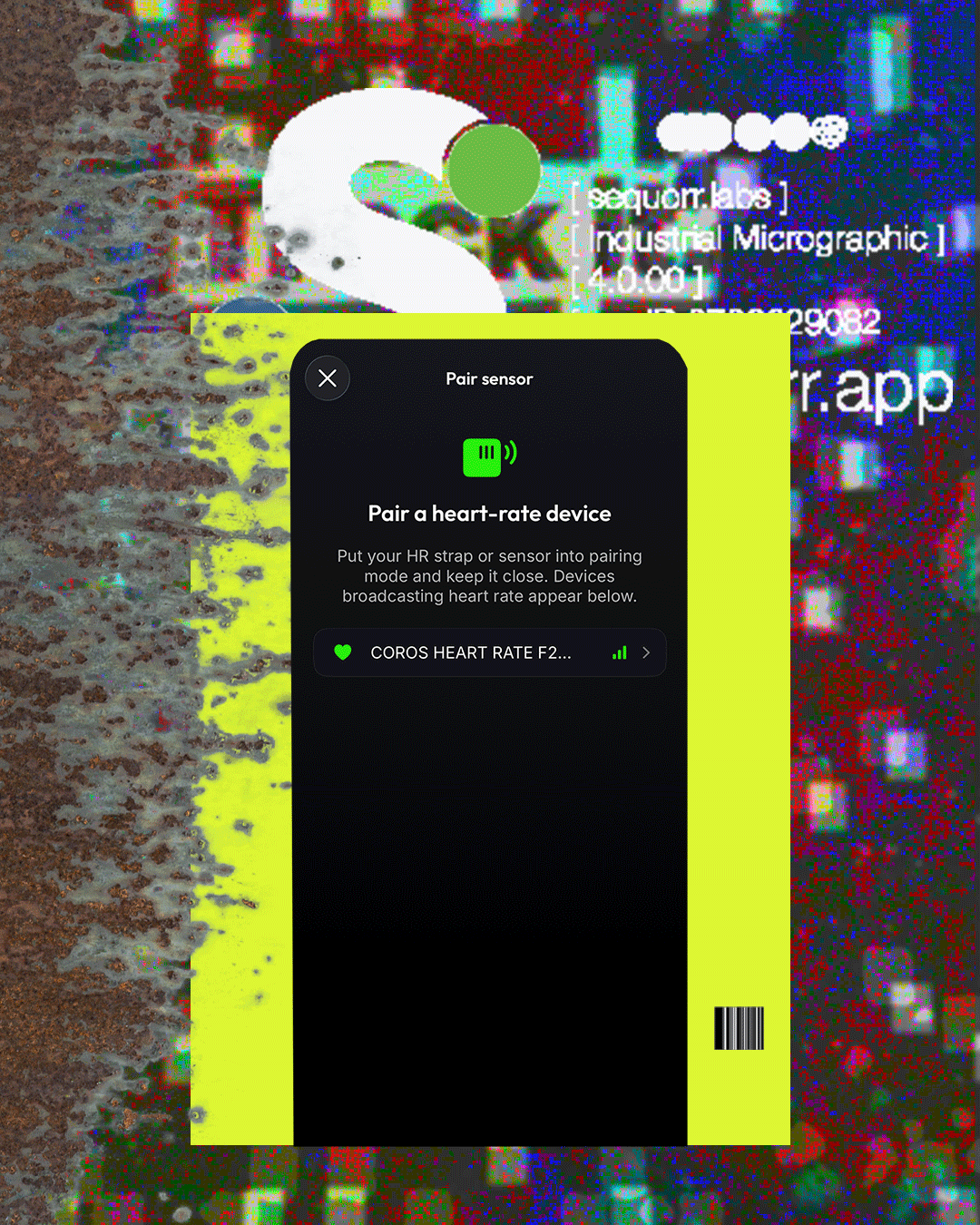
- Open connected devices and tap Pair a heart-rate device.
- Select and pair your monitor.
- Start an activity — Sequorr reads your monitor as the primary heart rate source.
That’s it. There’s nothing to configure. And if the BLE connection ever drops mid-session, Sequorr automatically falls back to Apple Watch heart rate, so you never lose the stream.
On the watch
The Sequorr Apple Watch companion app can connect a monitor too. From the Sequorr watch home screen, in the top right, tap the connected devices icon, then select and pair your monitor. Sequorr will record from your chest strap or armband instead of the watch’s optical sensor — the more accurate reading, straight from your wrist-side app.
Already have a partnered watch?
You don’t strictly need an external monitor — any integrated partner watch in Sequorr monitors heart rate automatically, and for easy and steady training sessions it’s valuable. Add a chest strap or armband when you want reliable numbers for intervals and threshold work, where a fraction of accuracy changes the whole session.
One step that makes it all count
A heart rate monitor gives Sequorr a clean signal — but the signal only becomes training load once Sequorr knows your threshold. Set your lactate threshold heart rate and every heart-rate session converts into real TSS, your zones line up with your physiology, and your fitness and fatigue trends start telling the truth. Great data in, honest readiness out. That’s the whole point of strapping one on.